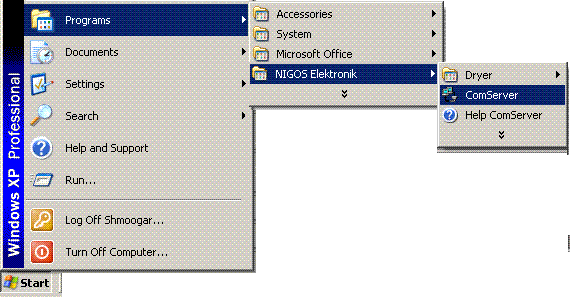
Starting and Setting up of ComServer
If ComServer is installed, it is started from Start> Programs> NIGOS Elektronik> ComServer .
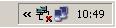
Launching the program will show an icon labeled "Communication server" in the tray (near the clock in the lower right corner of the desktop).
Right-click on the communication server icon to open a pop-up menu which contain quick commands for communications server control.
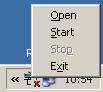 Open - open the main window of ComServer
Start - start ComServer
Stop - stop ComServer
Exit - stop and exit from ComServer
Opening ComServer main window displays window with following options:
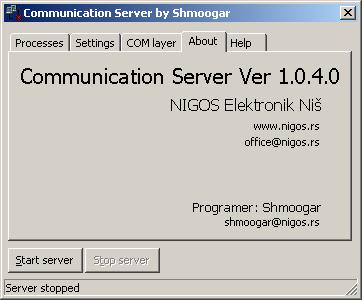 Processes - shows connected clients.
Settings - the basic program settings.
COM layer - shows contents of receiving and transmitting communication buffer.
About - basic information about the program.
Help - software help.
Basic settings are available when tab Settings is selected. Following options are available:
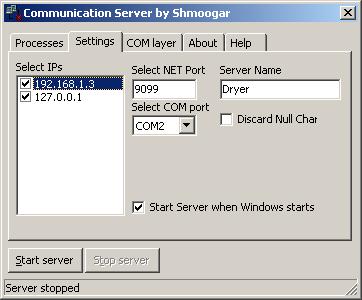 In
the Select IPs list select IP address (or addresses) from which communication server will be accessed.
In
the Select IPs list select IP address (or addresses) from which communication server will be accessed.
Select NET Port should not be changed, unless this port is already assigned to some other protocol.
In the combo box Select COM port choose the COM (RS-232) port to which RS-485 adapter for communications with automatics is connected.
Option Discard Null Char is used for some versions of the protocol (BiSync protocol support null characters).
If Start Server when Windows starts is selected, ComServer will start each time the Windows starts.
After all changes are made, click the Start server button.
Click on the Close button does not shut down the program, but instead it only minimizes it to try icon, and the server is still active.